Free
$0/ forever
Try it on a single journey. See if it changes how you think.
- 1 journey, 30 engagements
- Capture from any source
- AI extraction (with your key)
- Local SQLite store
Drop in your meetings, emails, and notes. Runwita threads them into a continuous, navigable record of how the work has actually evolved. Local-first, on your Mac.
You're on the early-access list. Check your inbox for a confirmation link.
Or talk to me, 30 minutes, no pitch.
For consultants and customer-success leads carrying many files across many months.
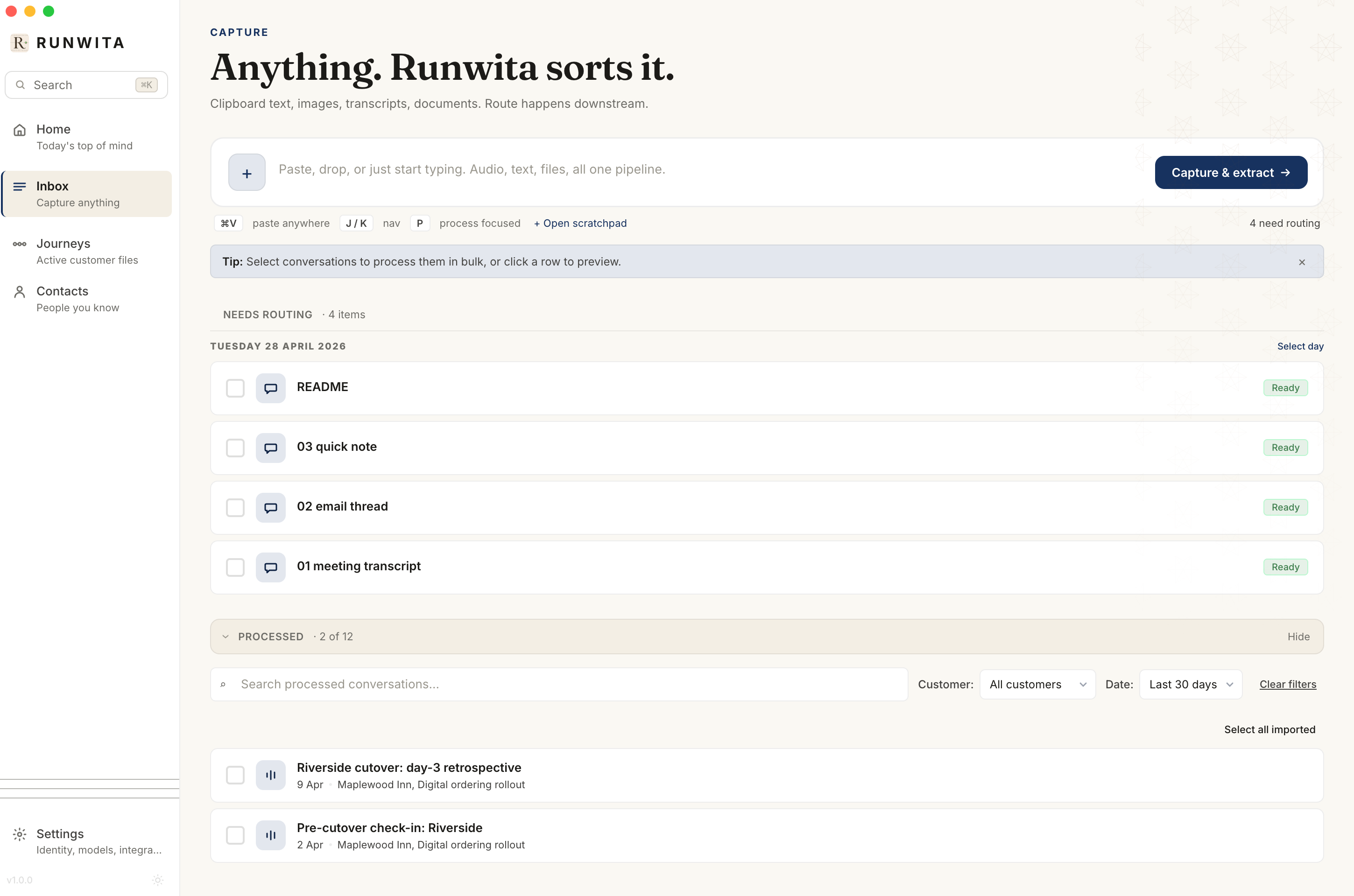
Paste an email. Drag in a transcript. Record a voice memo on your phone, or scribble a note after a call. Runwita doesn't care what shape the raw material arrives in. It will all become part of the same thread.
One inbox. Everything you've ever said, written, or been told about a piece of work.
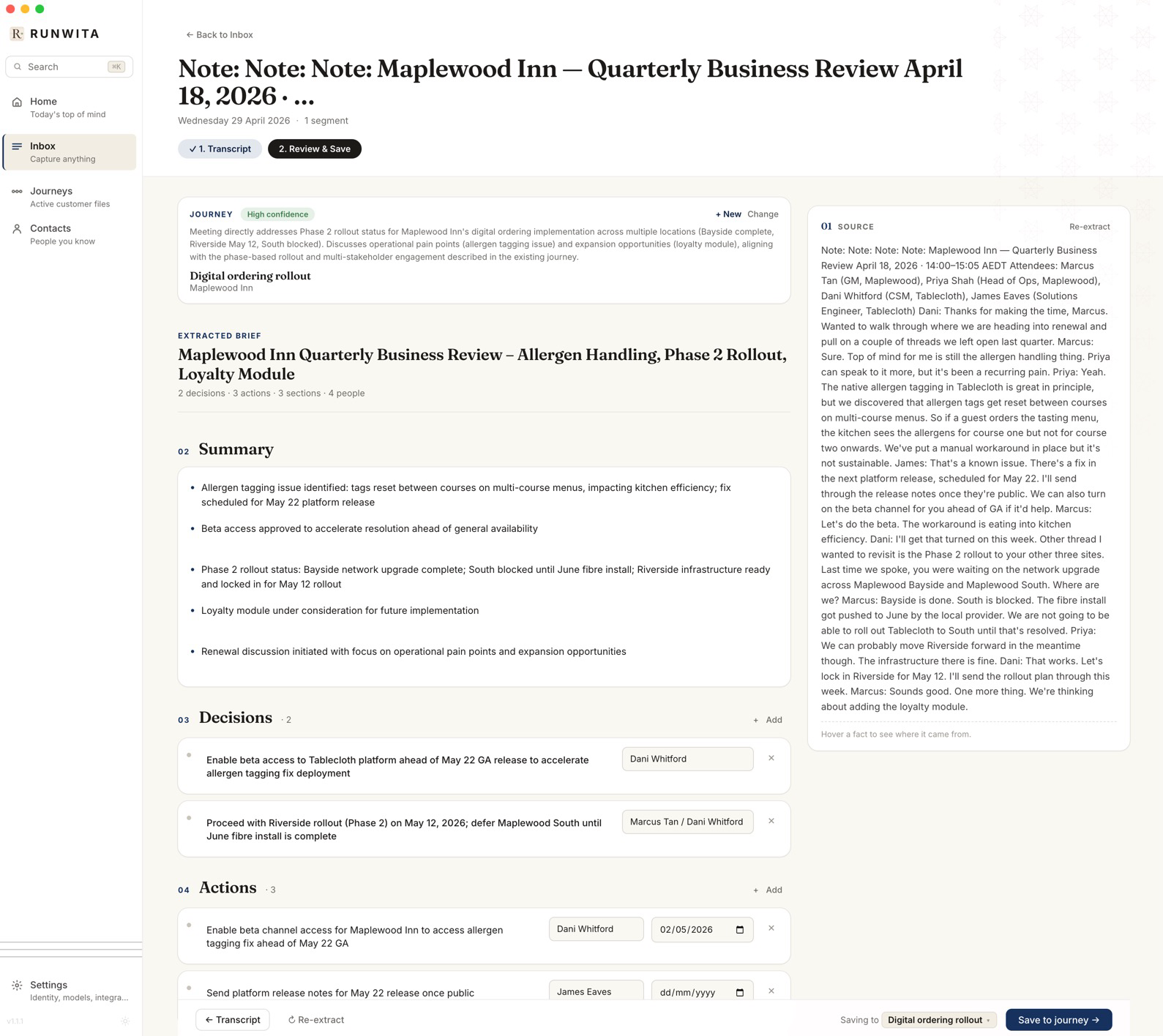
Runwita reads what you drop in and pulls out the bones. The topic, the people, the decision pending, the sentiment shift, the deadline you'd half-forgotten. Each piece lands in the right journey, automatically.
You review. You correct. You stay in charge of what gets remembered.
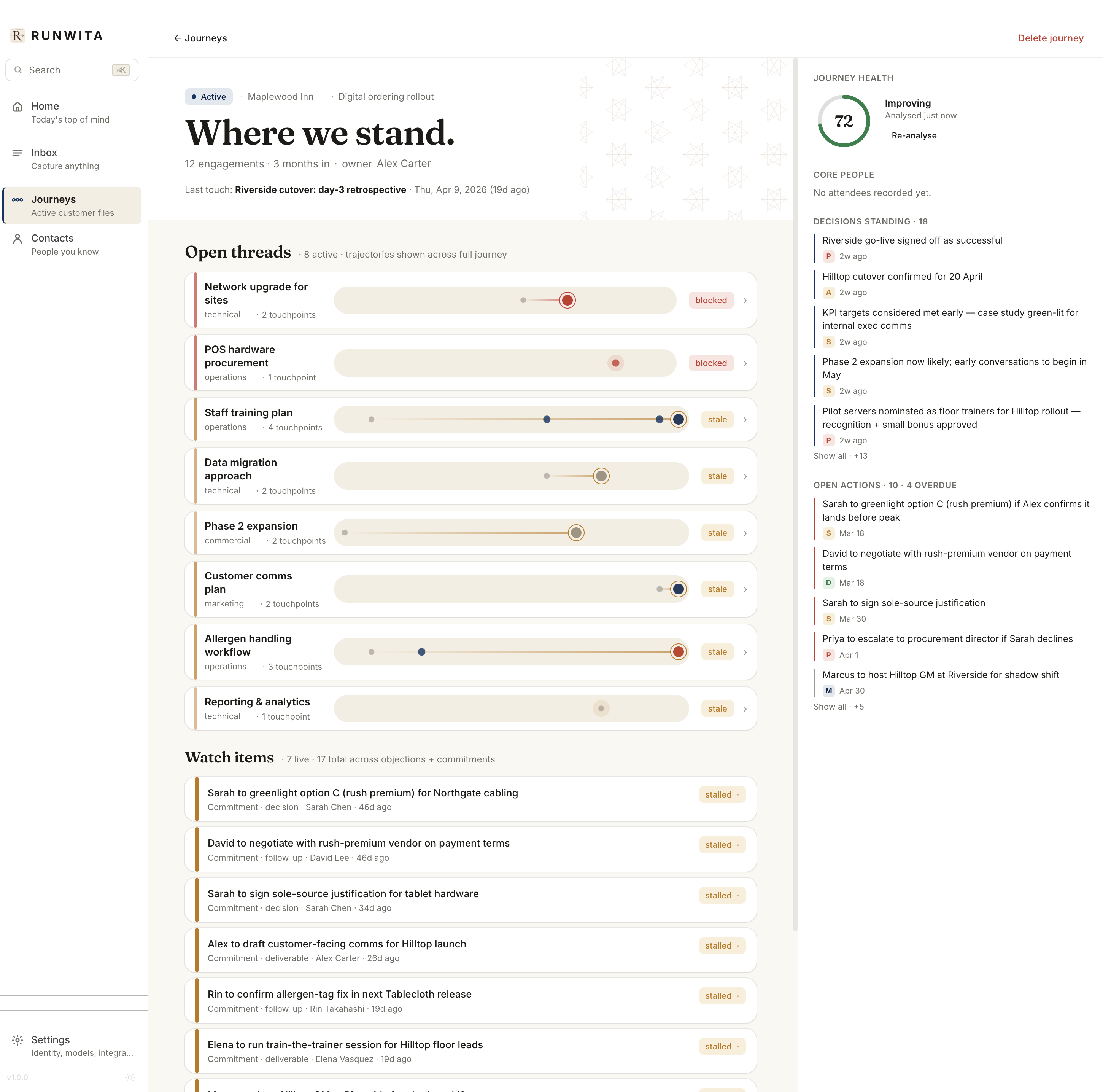
Every file becomes a living document. A timeline of moments, threaded by topic, weighted by who said what, and aware of the decisions still hanging. Open one and you're not staring at a folder. You're standing inside the story.
Drill into any moment. Ask why did this stall? and Runwita walks you to the turn that explains it.
Runwita ships with an MCP server. Claude Code, Claude Desktop, Cursor, anything MCP-compatible can read your journeys, write back into them, and keep the thread intact as you work. No copy-paste, no context-window gymnastics.
Tell Claude "add this to the Maplewood journey" and it lands where it belongs.
A single SQLite file you can copy, back up, encrypt, or delete. No cloud account. No sync surprise. No telemetry sneaking out.
A pile of notes isn't memory.
Runwita gives it a direction.
— the bigger idea, in one line
Runwita is built by one person, on a Mac, for people who care about their craft. No VC clock, no rug-pull pricing.
We're a few weeks from launch. Drop your email, lock in your tier, and we'll let you in as soon as it's ready.
Try it on a single journey. See if it changes how you think.
Unlimited journeys, full extraction, MCP server. The whole tool.
On the roadmap: Linear, Asana, Notion two-way sync
Get early accessFor the first 200 people who back the project. Pay once, keep it forever.
Lifetime updates apply to the desktop app. Cloud sync and future cloud features remain a separate subscription beyond the first 12 months.
Get early accessIf you're a verified student or a registered non-profit, you get 50% off for life.
Just email contact@runwita.com from your .edu address, or attach proof of enrolment or non-profit registration. We'll send you a one-time discount code.
Simple deal: less friction, same full product, just priced for the people building things that matter.
No. Runwita stores everything locally in a SQLite file on your Mac. When you bring your own Claude or OpenAI key, your prompts go directly to that provider under your account and their terms. Runwita never sees, stores, or relays them. Run fully local with Ollama and nothing leaves the machine, ever.
Notion and Obsidian are shelves, you put things on them and take things off. A CRM is a spreadsheet, fields, stages, dashboards. Runwita is neither. It's a thinking tool for work that has a long arc: it reads what you produce, threads it into a journey, and helps you see why the file is where it is. The closest neighbour is a research notebook, not a productivity app.
No catch, but it's a real bet on a one-person project. If I get hit by a bus, you get the source code under an escrow agreement and a community fork. If I keep building, you get every Pro feature for life and a say in what comes next. 200 slots, then it's gone.
Mac first, deliberately. Building one polished thing beats three half-broken ones. Windows is on the roadmap for late 2026; Linux follows. The data format (SQLite + a JSON manifest) is portable from day one. When the other clients ship, your journeys come with you.
Today, no. Runwita is single-player by design. The current focus is the rep, the consultant, the researcher carrying their own files. Multiplayer is on the roadmap, but only as an opt-in sync layer over your existing local store. Your file stays yours.
Your data is a SQLite file on your hard drive. You can open it in any tool that reads SQLite, forever. If the project ever winds down, the source goes public and Believer-tier customers get a community fork. Runwita is built to outlive me, not lock you in.
Get the early-access build, plus occasional notes from me on what I'm learning making it.
You're on the early-access list. Check your inbox for a confirmation link.
Or talk to me, 30 minutes, no pitch.
Building in public. Join the Runwita Discord to follow along, share feedback, or hang out with other early users.